
BlackBox blacklist
Every order is checked in the shared BlackBox database, and the manager adds a buyer who did not collect a parcel right from the order.
 1 / 3
1 / 3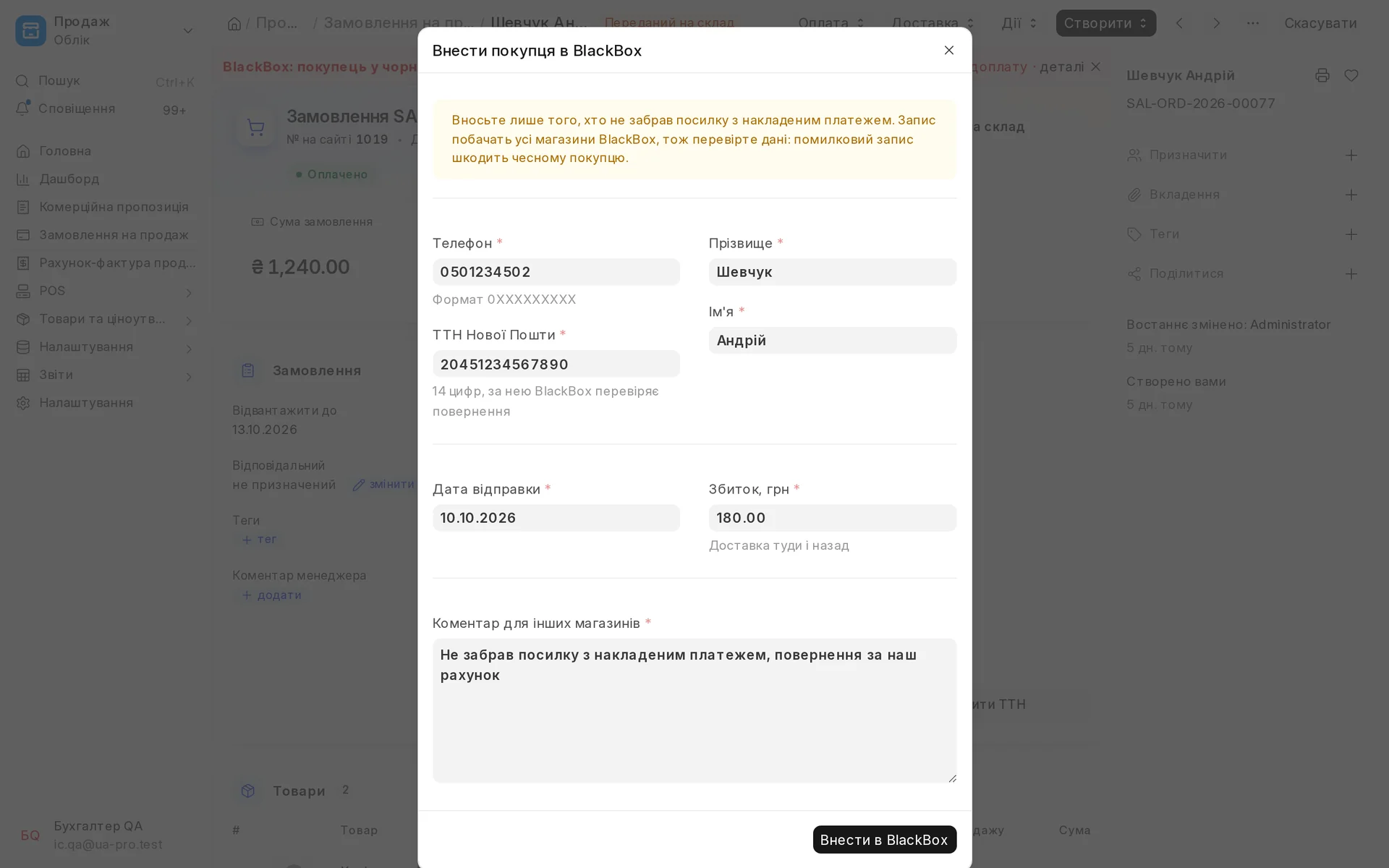
Screen by screen
Captions to the module screens: briefly what each one shows and why.
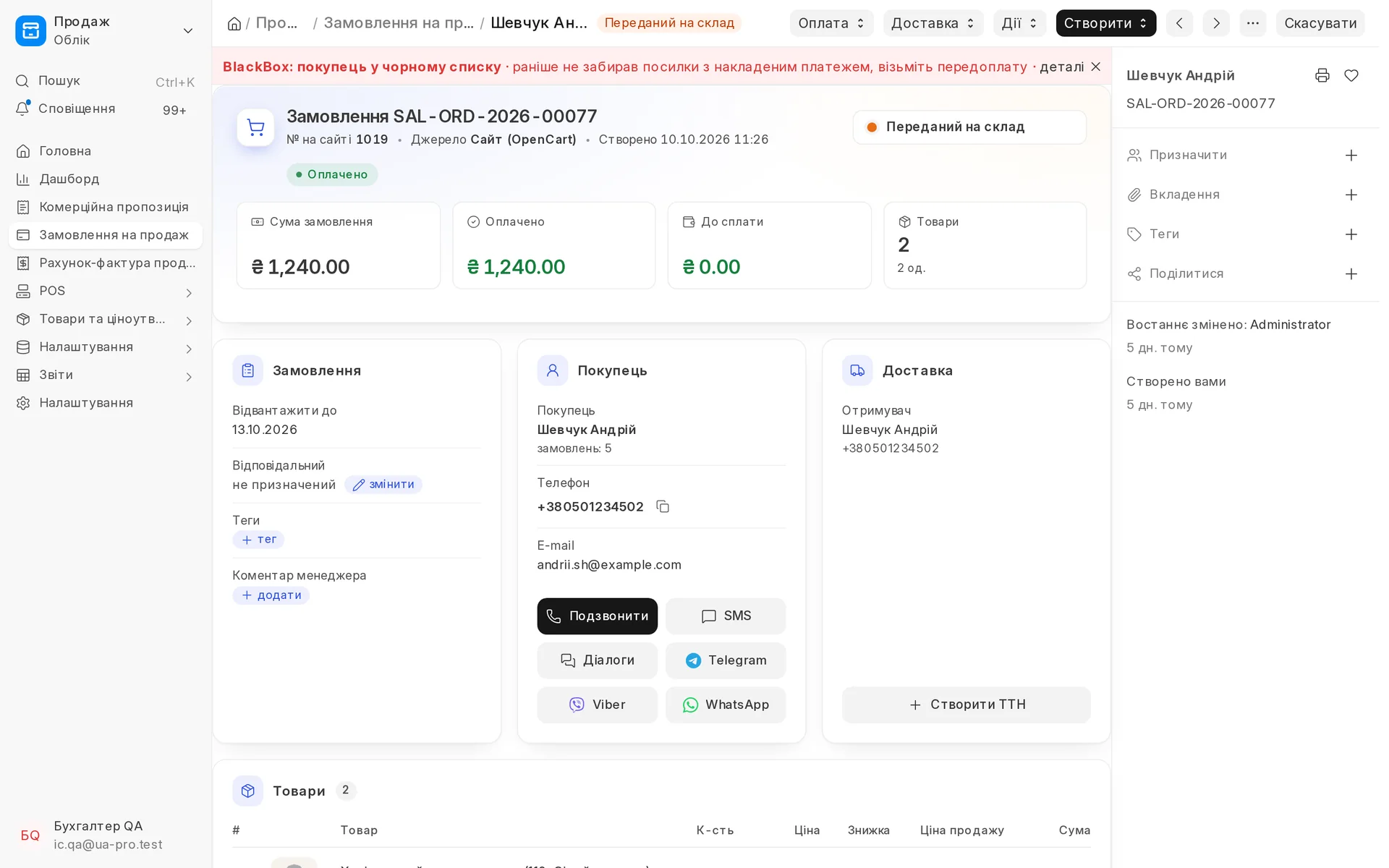
- 01
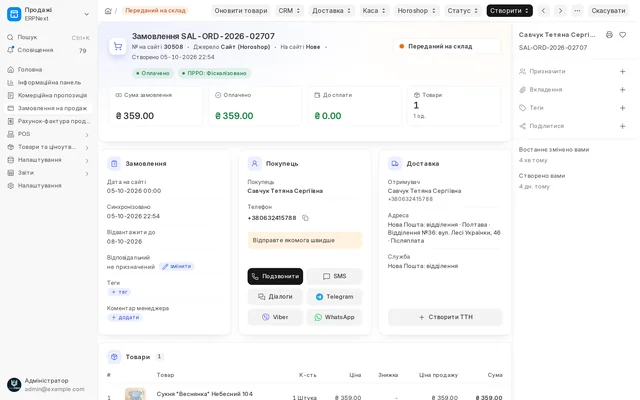
The buyer's number is in the BlackBox database: the order gets a red banner, and the manager asks for prepayment instead of shipping blind.
- 02
The buyer did not collect the parcel: phone, name, waybill and loss amount are filled in from the order, all that is left is to click "Add to BlackBox".
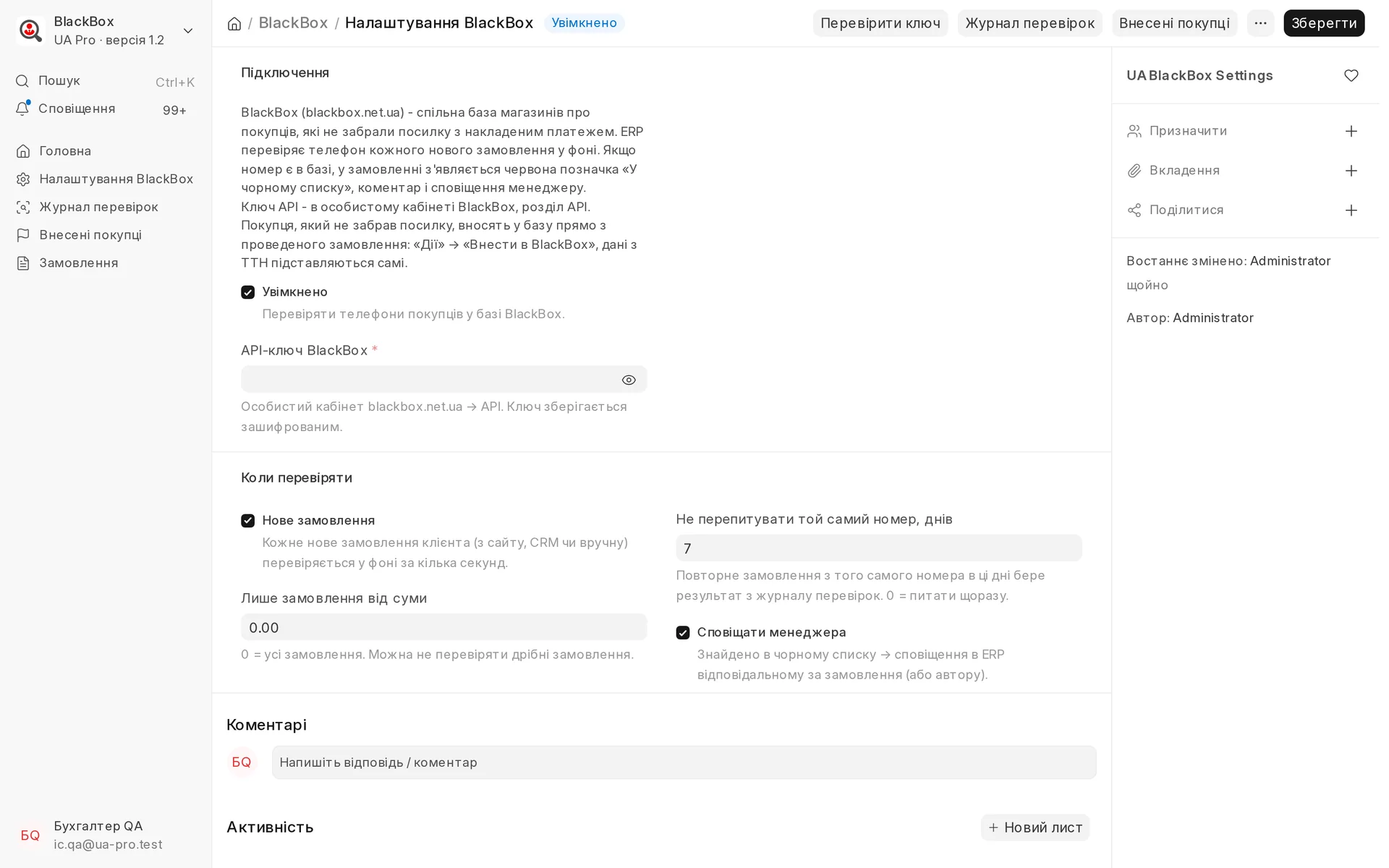
- 03
Settings: the key from your BlackBox account, background checks of new orders, an amount threshold and an alert to the manager.
BlackBox blacklist
Every new order, from the site, the CRM or entered by hand, is checked automatically in BlackBox, a shared database of shops about buyers who did not collect a cash on delivery (COD) parcel. If the number is in the database, the order gets a red flag, the manager sees an alert straight away and asks for prepayment instead of shipping blind. The check runs in the background and does not slow down order entry, a repeat order from the same number is not checked again, and a log of checks is kept. If a buyer did not collect a parcel, the manager adds them to BlackBox right from the order: phone, name, waybill and loss amount are filled in automatically.
Area: Sales and shipping. The module is switched on and off for each company separately, with no per-seat licences.
The same, on your data.
The screens were captured on a demo company. Send us a sample document or order and we will show this module on it.